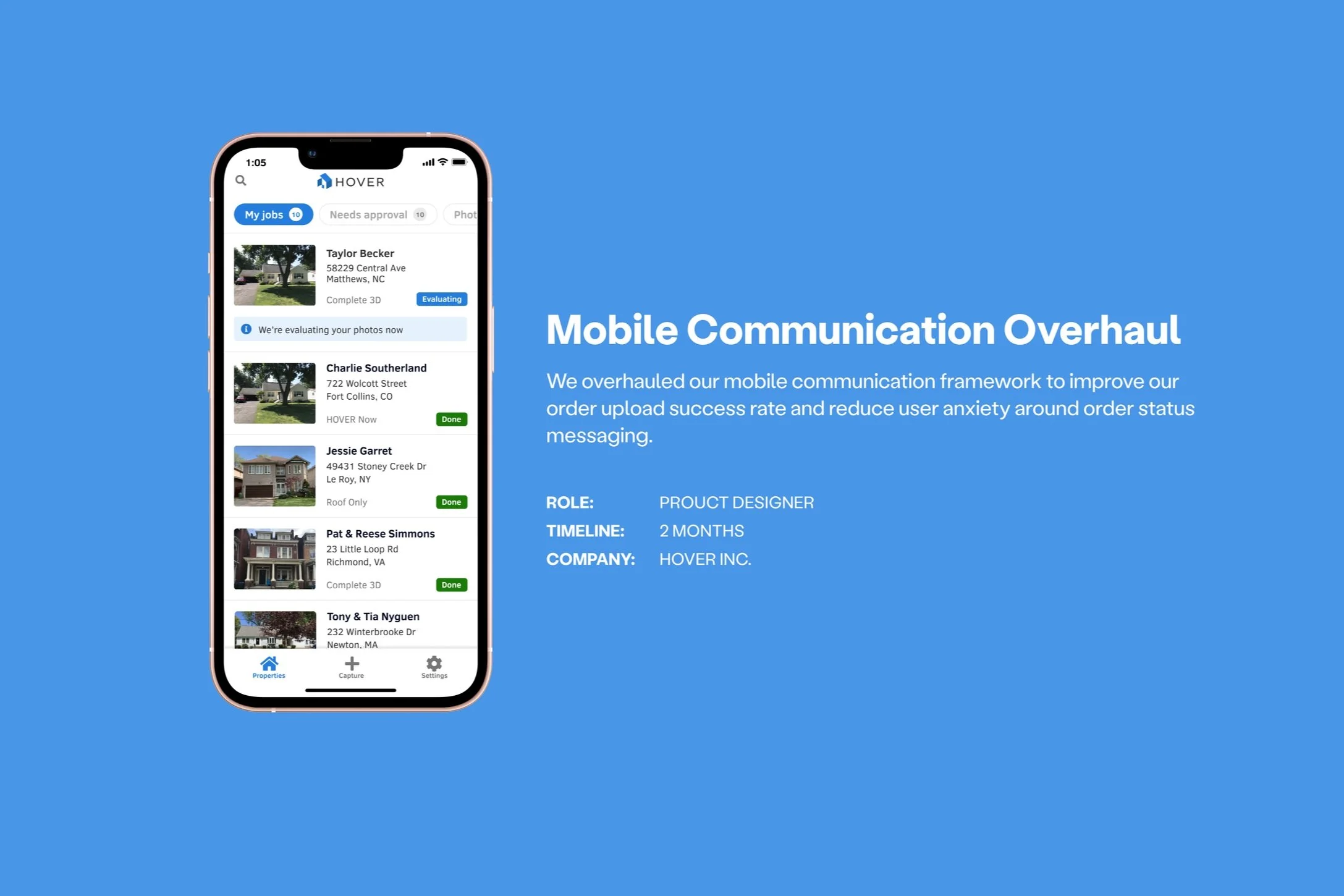
HOVER
HOVER produces 3D home models with measurements using eight exterior photos of a property. It takes 2-24 hours to complete one order, depending on the user's membership tier.
Brief
Contractors are HOVER’s main users. They use HOVER for their sales process workflow. Depending on the property's complexity, the contractor will typically use HOVER onsite and wait for the measurements to come back or move on to their next appointment. They prefer to have the property model delivered while they're still at the property with the homeowner, but depending on the build complexity and queue times, it might make more sense for them to continue on to the next property.
Problem
HOVER's mobile order communication didn't provide a time estimate. Contractors didn't know how to plan their day without having an accurate ETA for the order.
Process
01: User surveys & user pain points
02: Ideation & high-fidelity wireframes
03: Field testing
01 User pain points
After reviewing customer support tickets and conducting user surveys, I identified and presented the following user pain points around our mobile communication system to the team.
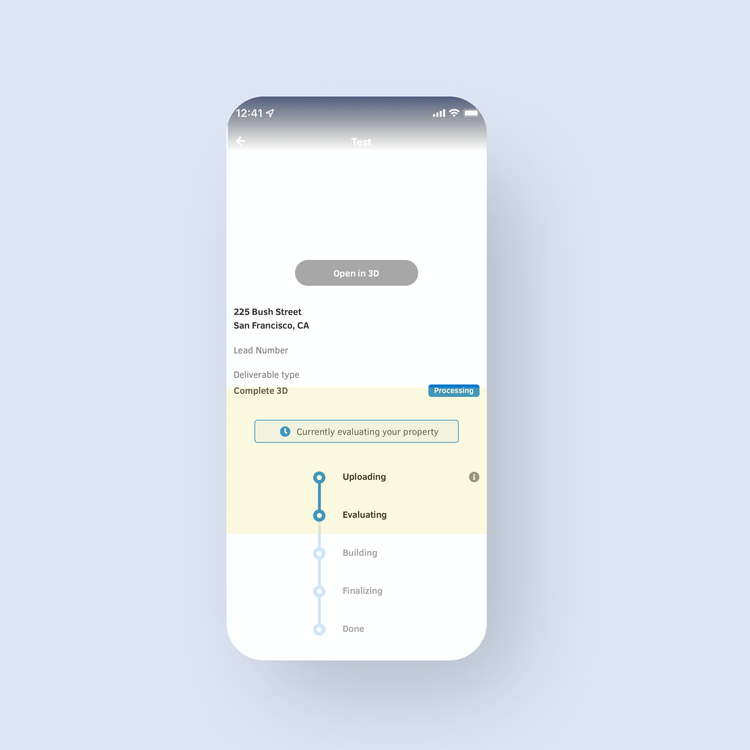
Inconsistent order status signal
Inconsistency between job status badge and status summary (Processing vs. Evaluating).
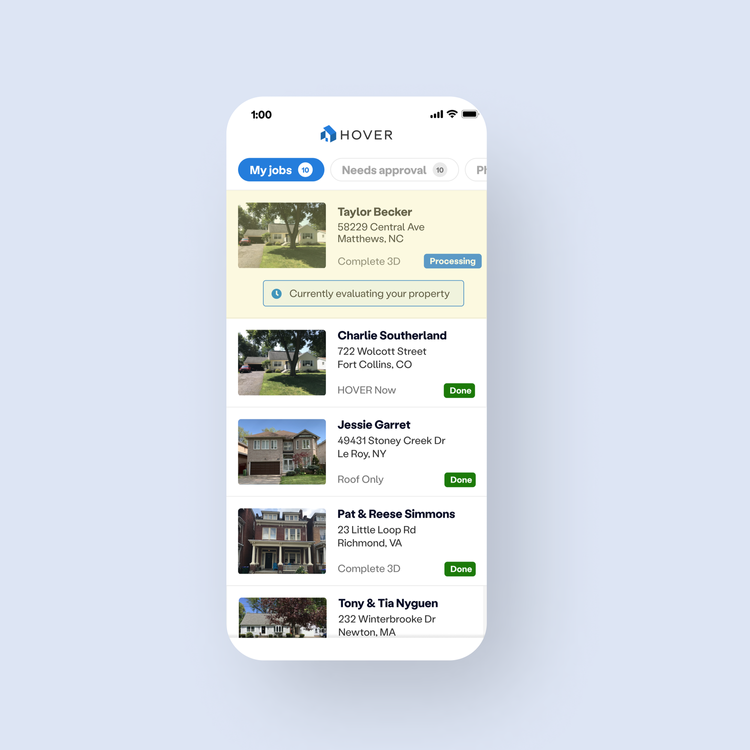
Undefined order status terminology
Difficult for users to make onsite decisions using an order status tracker that doesn’t provide any kind of time estimates.
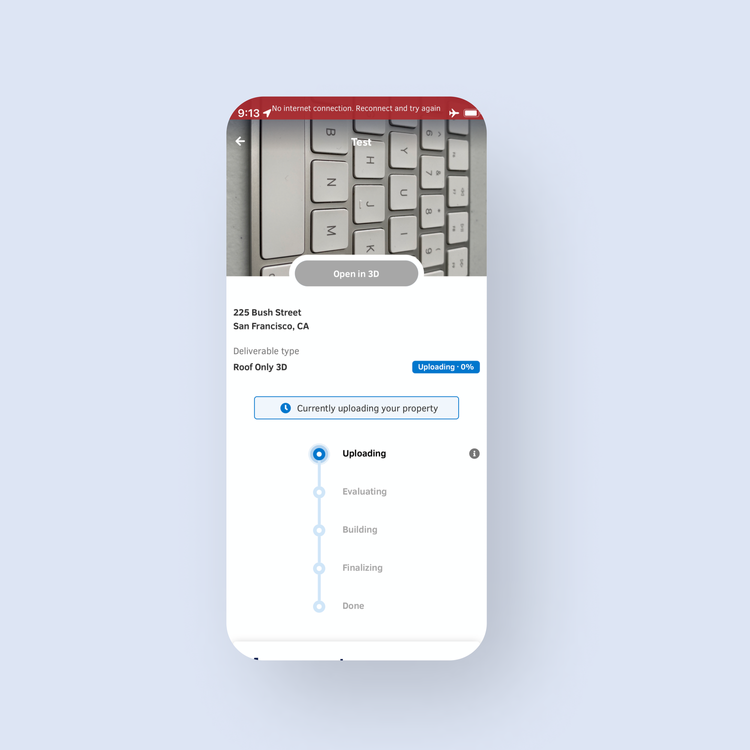
Lack of feedback when issues occur
Order status does not reflect the true system state. No remedy actions are communicated to the user.
02: Ideation & high-fidelity wireframes
When iterating on the new communication framework, we focused on providing the user with clarity and actionable insights.
Information display: We iterated on a few versions of the order status tracker. Initially, we wanted to better utilize screen real estate by switching the tracker's orientation (from vertical to horizontal). However, after discussing this with our engineer, we realized that the impact didn't outweigh the development effort. Instead, we utilized the white space of the status tracker stage icon and used color to visually communicate the health status of the order. Utilizing the background to signal information didn't add clutter and reduced the cognitive load for the user. The pizza tracker background would be blue if no issues occur, but the color will change accordingly if we need the user to take action
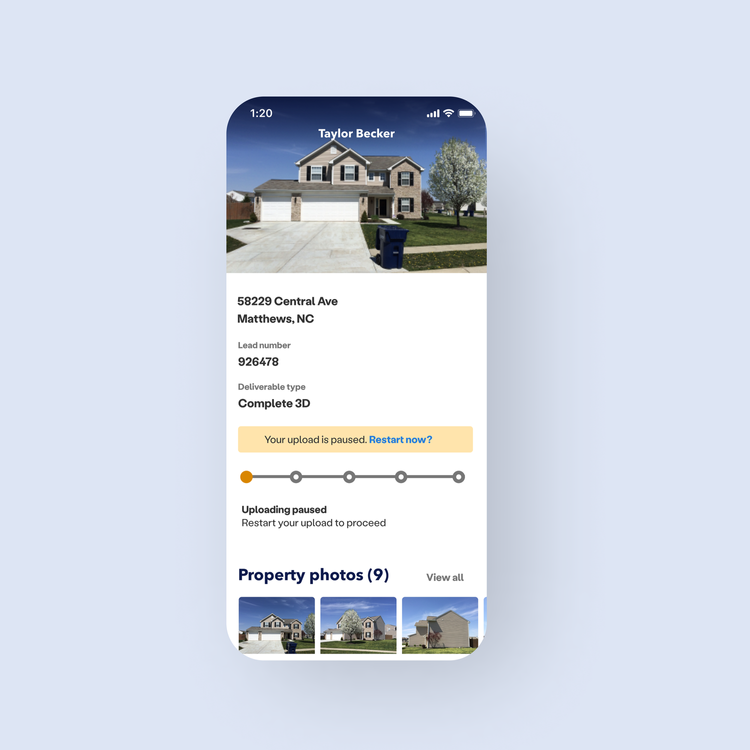
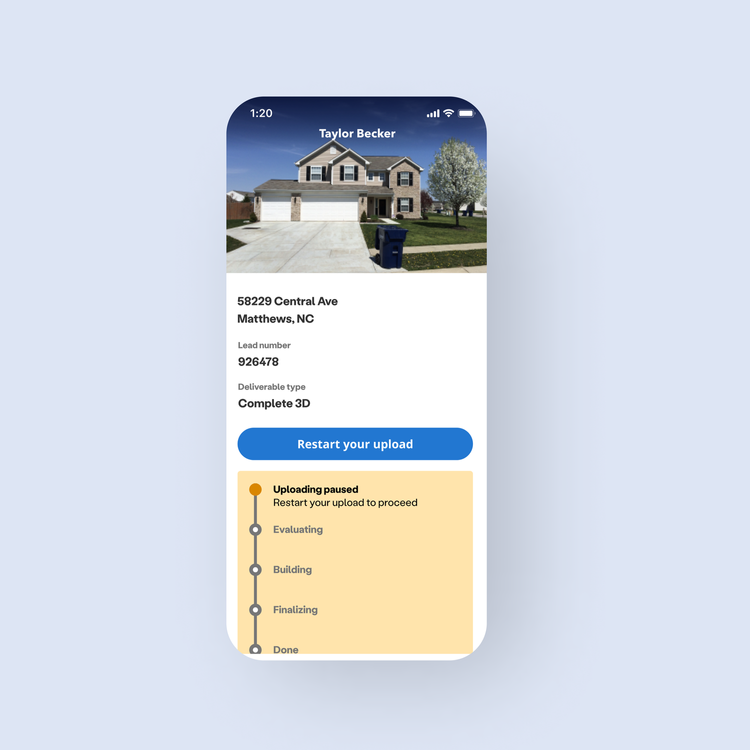
Time Estimate Feature: Since timing is critical to our users’ sales workflow, we wanted to add a time estimate feature. I worked with our Product Operations team to develop this feature.
We tested two versions with our users:
Version A showed the remaining time in each stage of the order process.
Version B provided an overall ETA estimate.
Given the lean engineering resources for the project, we couldn’t build both version A and version B features. However, we were still able to test with users, so we'd have a goal to work towards once dev resources freed up.
Results indicated that users would rather have an overall estimate (version B), as it allowed them to plan the rest of their visit around one specific time and didn't require as much monitoring.
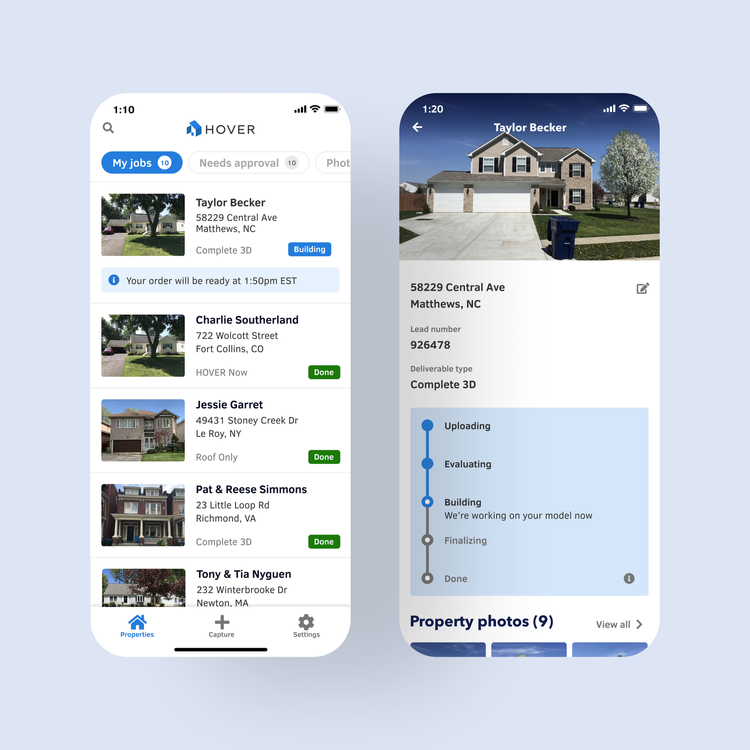
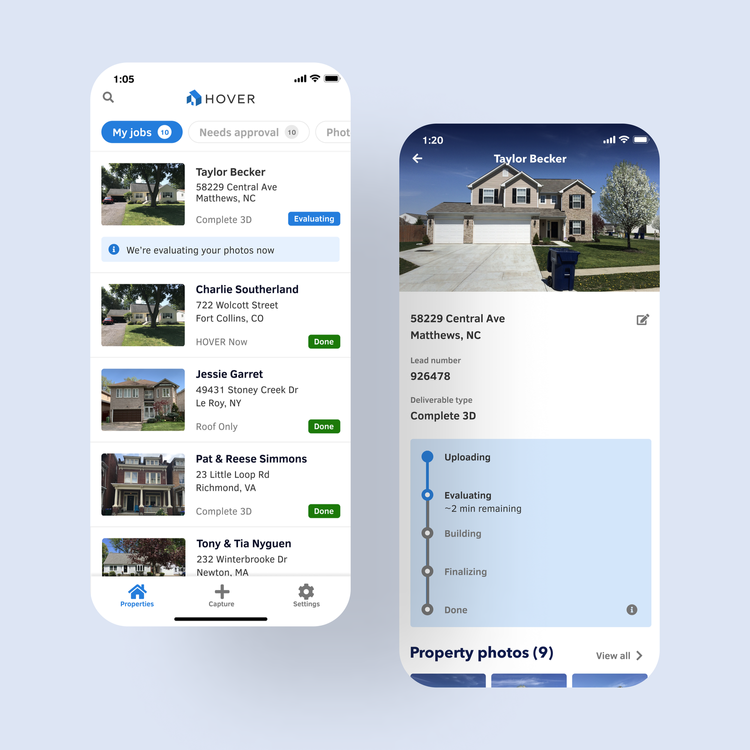
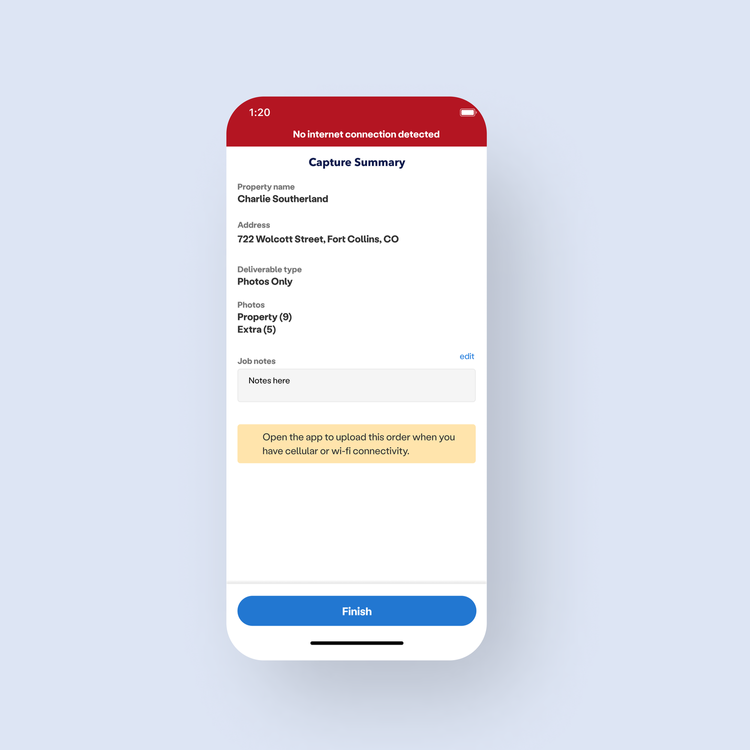
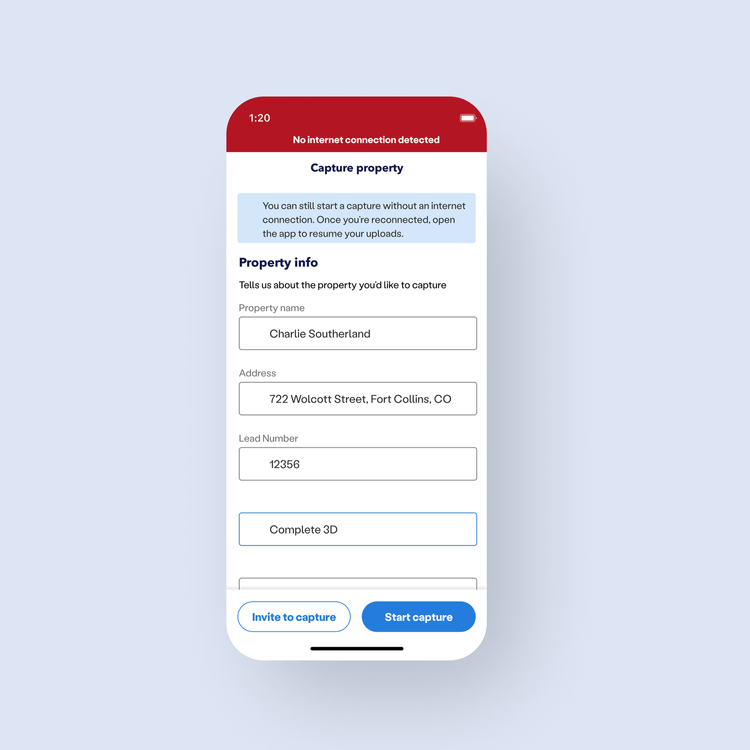
Communication format: Many customers work in areas with poor or no cellular reception. We wanted to ensure they were not wasting time taking measurements by hand and leveraging HOVER instead. We introduced alerts to HOVER’s design system to clearly communicate available in-app actions when the user was offline and the normal capture flow was unavailable. These alerts did not depend on cellular connectivity and could help guide the customer to use the app in ways that didn't require cell reception, but that would also allow them to complete their job - i.e. take photos and save them to upload later.
To create consistency across the app, we synchronized the color scheme to the information type (necessary instructions = yellow, available options = blue alerts, etc.).
03 Usability testing
We did a field test with three home improvement organizations.
Results & user feedback
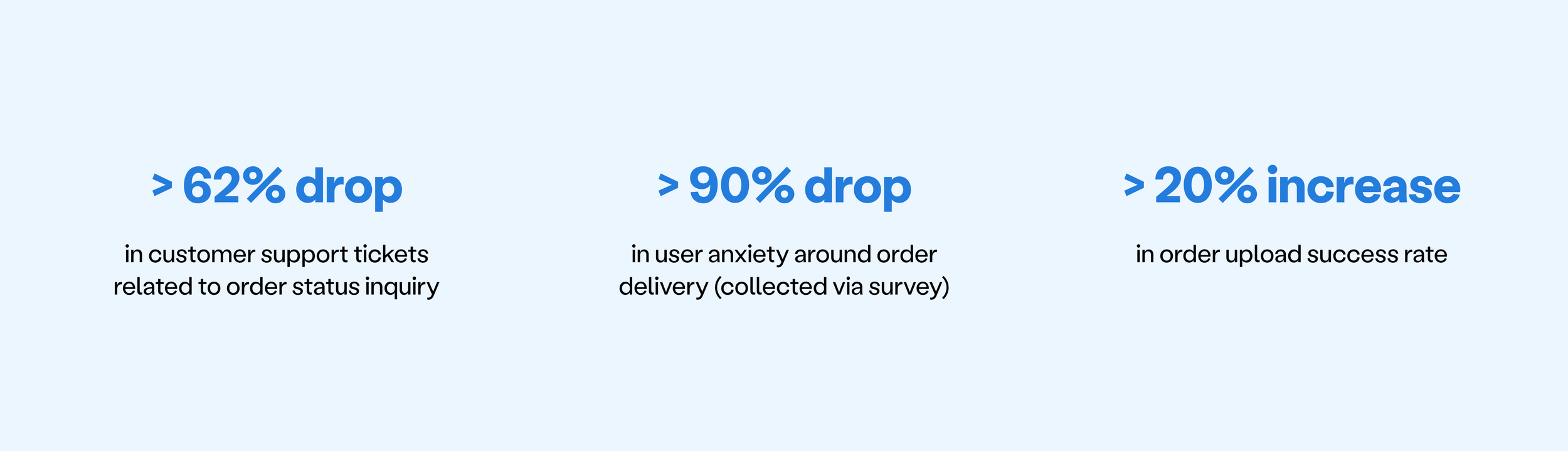
We saw a reduction in customer support tickets for estimates on order delivery.
The new alert system has helped them manage their customer expectations on site, which is important to winning the client.
Users asked if they could receive a text to notify them if their order was delayed and that's certainly something we'd like to do if given the resources.
Outcome
After the full rollout, we were able to: